
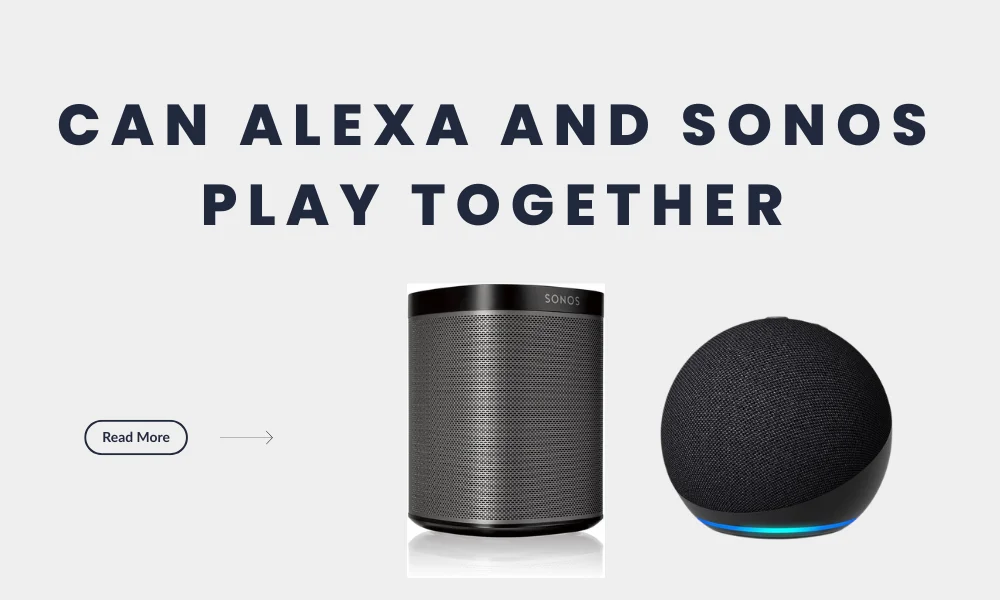
If you already have an Amazon Echo speaker and a Sonos speaker at home, you may wonder: can Alexa and Sonos play together?
The short answer is: yes, Alexa and Sonos can work together, but not always in the way people expect.
Alexa can control Sonos speakers. You can ask Alexa to play music on Sonos, pause songs, skip tracks, adjust volume, and choose rooms.
Some Sonos speakers also support Alexa directly, which means you can speak to the Sonos speaker itself without needing a separate Echo device.
But there is one important limitation: Echo speakers and Sonos speakers usually cannot play the same music together in one perfectly synchronized Alexa music group. Alexa can control Sonos, but that does not always mean your Echo Dot and Sonos speaker will act like one combined multi-room speaker system.
In this guide, we will explain what works, what does not work, how to set up Alexa with Sonos, how to create speaker groups, and how to fix common problems.
Quick Answer: Can Alexa and Sonos Play Together?
Here is the simple answer:
| Question | Answer |
| Can Alexa control Sonos? | Yes |
| Can Alexa play music on Sonos? | Yes |
| Can an Echo device control Sonos? | Yes |
| Can Alexa be built into Sonos? | Yes, on compatible voice-enabled Sonos speakers |
| Can Echo and Sonos play the same music together in sync? | Usually no |
| Can multiple Sonos speakers play together? | Yes, through Sonos grouping |
| Can Alexa control Sonos volume? | Yes |
| Can Alexa pause and skip music on Sonos? | Yes |
So, Alexa and Sonos can work together for control and playback. But if your goal is to make an Echo speaker and a Sonos speaker play the same song at the same time like one speaker group, that is where the limitation comes in.
What Works Between Alexa and Sonos?
Alexa and Sonos work well together for many smart home audio tasks. You can use Alexa as a voice assistant to control music on Sonos speakers, and you can use Sonos speakers as better-sounding music speakers for your home.
Alexa Can Play Music on Sonos
Once Sonos and Alexa are connected, you can use voice commands to play music through your Sonos speaker.
For example, you can say:
Alexa, play music in the living room.
Alexa, play jazz on Sonos.
Alexa, play my playlist in the kitchen.
Alexa, pause the music.
Alexa, skip this song.
Alexa, turn up the volume in the bedroom.
This is useful if you want better sound quality from Sonos while still using Alexa for voice control.
Instead of opening the Sonos app every time, you can simply ask Alexa to start music, stop music, change volume, or control playback.
Alexa Can Control Sonos from an Echo Device
You do not always need a Sonos speaker with a built-in microphone. If you already have an Echo Dot, Echo Show, Echo Pop, or another Alexa-enabled device, you can use that device to control Sonos.
For example, you may have an Echo Dot in your kitchen and a Sonos speaker in your living room. After setup, you can ask the Echo Dot to play music on the living room Sonos speaker.
This is a good setup if your Sonos speaker does not support Alexa directly or if your Echo device is placed in a more convenient speaking location.
Alexa Can Be Built Into Some Sonos Speakers
Some Sonos speakers are voice-enabled and can support Alexa directly. In that case, the Sonos speaker itself can listen for Alexa commands.
This means you may not need a separate Echo speaker in the same room. You can ask the Sonos speaker to play music, control smart home devices, check the weather, or perform other Alexa-supported actions, depending on your setup and region.
This is helpful if you want a cleaner smart speaker setup with fewer devices.
If you want to compare Alexa with other modern tools, read our guide to the best AI personal assistants.
What Does Not Work Between Alexa and Sonos?
The main confusion comes from the phrase “play together.” Many users think Alexa and Sonos playing together means an Echo speaker and a Sonos speaker will play the same music in sync. That is usually not how it works.
Echo and Sonos Do Not Usually Play Together as One Music Group
If you have one Echo speaker and one Sonos speaker, you may expect both to play the same music at the same time. But Alexa Smart Home Device Groups do not normally make Echo speakers and Sonos speakers play music together in sync.
This is the biggest limitation you should understand before setting up your smart speaker system.
Alexa can send music to Sonos. Alexa can control Sonos. But your Echo speaker and Sonos speaker are not usually treated as one synchronized speaker pair for music playback.
Alexa Groups Are Not the Same as Sonos Groups
Alexa groups and Sonos groups are not the same thing.
An Alexa group helps Alexa understand rooms and devices. For example, you can create a “Living Room” group in the Alexa app and include your Echo device and Sonos speaker. This makes voice commands easier.
But this does not automatically mean the Echo speaker and Sonos speaker will both play the same music together.
A Sonos group, on the other hand, is created inside the Sonos app. It lets multiple Sonos speakers play the same audio together in sync.
So, if you want multi-room synced audio, the best experience is usually with Sonos speakers grouped with other Sonos speakers.
Sonos Speakers Can Group with Other Sonos Speakers
If you have multiple Sonos speakers, you can group them in the Sonos app. For example, you can group your living room, kitchen, and bedroom Sonos speakers so they all play the same music.
This is where Sonos works very well. Sonos is designed for multi-room audio, and grouping Sonos speakers together gives a smoother and more synchronized experience than trying to combine Echo and Sonos as one music group.
How to Set Up Alexa with Sonos
There are two common ways to use Alexa with Sonos.
You can either:
- Add Alexa directly to a compatible voice-enabled Sonos speaker
- Use an Amazon Echo device to control Sonos
Both methods can work, but the best option depends on your devices.
Option 1: Set Up Alexa on a Voice-Enabled Sonos Speaker
Use this option if your Sonos speaker has built-in voice support and supports Amazon Alexa in your region.
Steps to Set Up Alexa on Sonos
- Open the Sonos app on your phone.
- Go to Settings.
- Find the voice assistant or services section.
- Choose Add a Voice Assistant.
- Select Amazon Alexa.
- Choose the Sonos speaker you want to use.
- Sign in to your Amazon account.
- Follow the setup instructions.
- Link your music services in the Alexa app if needed.
- Test a voice command.
After setup, try saying:
Alexa, play music.
Alexa, play relaxing music in the living room.
Alexa, turn the volume down.
Alexa, pause.
If it works, your Sonos speaker is now working as an Alexa-enabled speaker.
Option 2: Use an Echo Device to Control Sonos
Use this option if you already have an Echo speaker or if your Sonos speaker does not have a built-in microphone.
Steps to Control Sonos with an Echo Device
- Open the Alexa app.
- Go to More.
- Tap Skills & Games.
- Search for Sonos.
- Enable the Sonos skill.
- Sign in with your Sonos account.
- Allow Alexa to discover your Sonos speakers.
- Wait for the devices to appear in the Alexa app.
- Test a command.
You can try:
Alexa, play music in the Living Room.
Alexa, play my playlist on Kitchen.
Alexa, turn up the volume in the bedroom.
This setup is useful when your Echo device is the microphone, but your Sonos speaker is the music speaker.
How to Create Alexa Groups with Sonos
Alexa groups can make voice commands easier. Instead of saying a long speaker name every time, you can create room-based groups.
For example, instead of saying:
Alexa, play music on Living Room Sonos.
You may be able to say:
Alexa, play music in the living room.
Steps to Create an Alexa Group with Sonos
- Open the Alexa app.
- Tap Devices.
- Tap the + icon.
- Choose Add Group.
- Create a room name such as Living Room, Bedroom, Kitchen, or Downstairs.
- Add your Alexa-enabled device to the group.
- Add your Sonos speaker to the same group.
- Set Sonos as the preferred speaker if the option is available.
- Save the group.
- Test a voice command.
This can make the setup feel more natural. But remember: this does not mean your Echo and Sonos will always play together at the same time. It mainly helps Alexa understand which speaker you want to use.
Why Alexa Is Not Playing on Sonos
Sometimes Alexa and Sonos do not work properly after setup. The issue may be caused by account linking, Wi-Fi, device names, music services, or speaker grouping.
Here are common problems and fixes.
| Problem | Possible Fix |
| Alexa cannot find Sonos | Re-enable the Sonos skill and discover devices again |
| Music plays on Echo instead of Sonos | Set Sonos as the preferred speaker in the Alexa group |
| Alexa says Sonos is offline | Check Wi-Fi and confirm Sonos is working in the Sonos app |
| Wrong speaker plays music | Rename Sonos rooms clearly |
| Music service does not work | Link the same music service in Alexa and Sonos |
| Commands are not working | Update the Alexa app, Sonos app, and speaker software |
| Alexa does not understand the room name | Use simpler names like Living Room, Kitchen, or Bedroom |
Common Alexa and Sonos Troubleshooting Tips
1. Check Wi-Fi Connection
Both Alexa and Sonos need a stable internet connection. If your Wi-Fi is weak, commands may fail or music may stop.
Make sure your Sonos speaker and Alexa device are connected properly and placed within good Wi-Fi range.
2. Update Both Apps
Check that your Sonos app and Alexa app are updated. Older app versions can cause setup or discovery problems.
3. Re-Enable the Sonos Skill
If Alexa stops controlling Sonos, open the Alexa app, disable the Sonos skill, enable it again, and sign in with your Sonos account.
Then run device discovery again.
4. Rename Your Speakers Clearly
Avoid complicated speaker names. Instead of names like “John’s Main Audio 1,” use simple names like:
Living Room
Bedroom
Kitchen
Office
Dining Room
Simple names make voice commands easier.
5. Check Your Music Service
If Alexa says it cannot play music, the problem may be your music service. Make sure your preferred music service is linked correctly in the Alexa app.
Also check whether that music service is supported on Sonos in your region.
Best Ways to Use Alexa and Sonos Together
Alexa and Sonos can be very useful when set up properly. Here are some of the best ways to use them together.
For Living Room Music
A Sonos speaker or soundbar in the living room can give better sound than a small Echo speaker. You can use Alexa to play music, control volume, pause songs, or skip tracks without touching your phone.
This is ideal for relaxing, hosting guests, or watching TV if your Sonos product is connected to your entertainment setup.
For Kitchen Audio
If you cook often, Alexa and Sonos can make kitchen audio easier. You can ask Alexa to play music, podcasts, or radio while cooking.
If your hands are busy, voice control is very convenient.
For Bedroom Listening
You can use Alexa and Sonos for relaxing music, sleep sounds, morning playlists, or low-volume listening before bed.
If your Sonos speaker is set as the preferred speaker in the room, Alexa commands become easier.
For Whole-Home Sonos Audio
If you have multiple Sonos speakers, group them in the Sonos app. Then use Alexa to control playback.
This gives you the best of both worlds: Sonos multi-room audio and Alexa voice control.
Alexa and Sonos are only one part of a complete smart home setup. If you want to build a more connected home, you can also explore other useful devices like smart speakers, smart bulbs, smart plugs, security cameras, video doorbells, and smart displays. For more ideas, check our guide to the best smart home devices in Dubai.
Alexa + Sonos vs Echo Speakers: Which Setup Is Better?
Both setups can be useful, but they are not the same.
| Setup | Best For | Limitation |
| Alexa + Sonos | Better sound quality with smart voice control | Setup needs more steps |
| Echo speakers only | Simple Alexa multi-room setup | Sound quality may be weaker than Sonos |
| Sonos speakers only | Strong multi-room music quality | Less Alexa-native unless Alexa is added |
| Sonos + Echo control | Balanced smart home setup | Echo and Sonos may not play in sync together |
If sound quality is your main priority, Sonos is usually the better speaker system. If simplicity and low cost matter more, Echo speakers may be enough.
If you already own both, using Alexa to control Sonos is a smart setup.
Sonos is a great choice for home audio, but if you want personal listening for travel, workouts, office use, or daily music, Bluetooth headphones may be more practical. JBL is one of the popular audio brands for wireless listening, and you can compare our picks for the best JBL Bluetooth headphones before choosing your next audio device.
Should You Use Alexa with Sonos?
You should use Alexa with Sonos if:
- You already have Sonos speakers
- You already use Alexa at home
- You want voice control for music
- You want better sound than Echo speakers alone
- You want to control music without opening the app
- You have multiple Sonos speakers in different rooms
You may not need Alexa with Sonos if:
- You only use the Sonos app
- You do not like voice assistants
- You want a very simple setup
- You expect Echo and Sonos speakers to always play in sync together
The setup is useful, but only if you understand the limitation.
Final Verdict
Yes, Alexa and Sonos can play together if you mean Alexa can control Sonos and play music through Sonos speakers.
You can use Alexa voice commands to play songs, pause music, skip tracks, change volume, and choose Sonos rooms. You can also use an Echo device to control Sonos or add Alexa directly to a compatible voice-enabled Sonos speaker.
However, Echo speakers and Sonos speakers generally do not work as one fully synchronized music group. If you want multi-room music, the best option is to group Sonos speakers with other Sonos speakers through the Sonos app.
So the simple answer is:
Alexa can control Sonos, but Echo and Sonos do not usually play together as one synced speaker group.
If you understand that difference, Alexa and Sonos can still be a very useful smart speaker setup for your home.
FAQs
Can Alexa play music on Sonos?
Yes. Alexa can play music on Sonos after you enable the Sonos skill or add Alexa to a compatible voice-enabled Sonos speaker.
Can Echo and Sonos play music at the same time?
Usually no. Echo speakers and Sonos speakers do not normally play the same music together as one synchronized Alexa music group. Alexa can control Sonos, but that is different from synced playback between Echo and Sonos.
Can Alexa control Sonos volume?
Yes. Alexa can control Sonos volume. You can say commands like “Alexa, turn up the volume,” “Alexa, lower the volume,” or “Alexa, set the volume to 30 percent.”
Do I need an Echo if my Sonos has Alexa built in?
No. If your Sonos speaker is voice-enabled and supports Alexa, you can use Alexa directly on the Sonos speaker without needing a separate Echo device.
Can Sonos speakers play together in multiple rooms?
Yes. Multiple Sonos speakers can be grouped together through the Sonos app so they play the same music in sync.
Why is Alexa playing music on Echo instead of Sonos?
This usually happens when Sonos is not set as the preferred speaker, the command does not mention the Sonos room name, or the Alexa group is not configured correctly.
Can Alexa control Sonos TV sound?
Yes, Alexa can control some TV-related commands when a compatible Sonos product is connected to your TV. Depending on the setup, you may be able to control volume or basic TV functions.
Can I use Spotify with Alexa and Sonos?
Yes, Spotify can work with Alexa and Sonos if it is properly linked and supported in your region. Make sure Spotify is connected in the Alexa app and available in your Sonos system.
Is Sonos better than Echo for music?
Sonos is usually better for sound quality and multi-room audio. Echo speakers are usually simpler and more affordable for basic Alexa use. If you care about sound quality, Sonos is the stronger choice.
What is the best setup for Alexa and Sonos?
The best setup is to use Alexa for voice control and Sonos for music playback. If you have multiple Sonos speakers, group them in the Sonos app and use Alexa to control the music.