
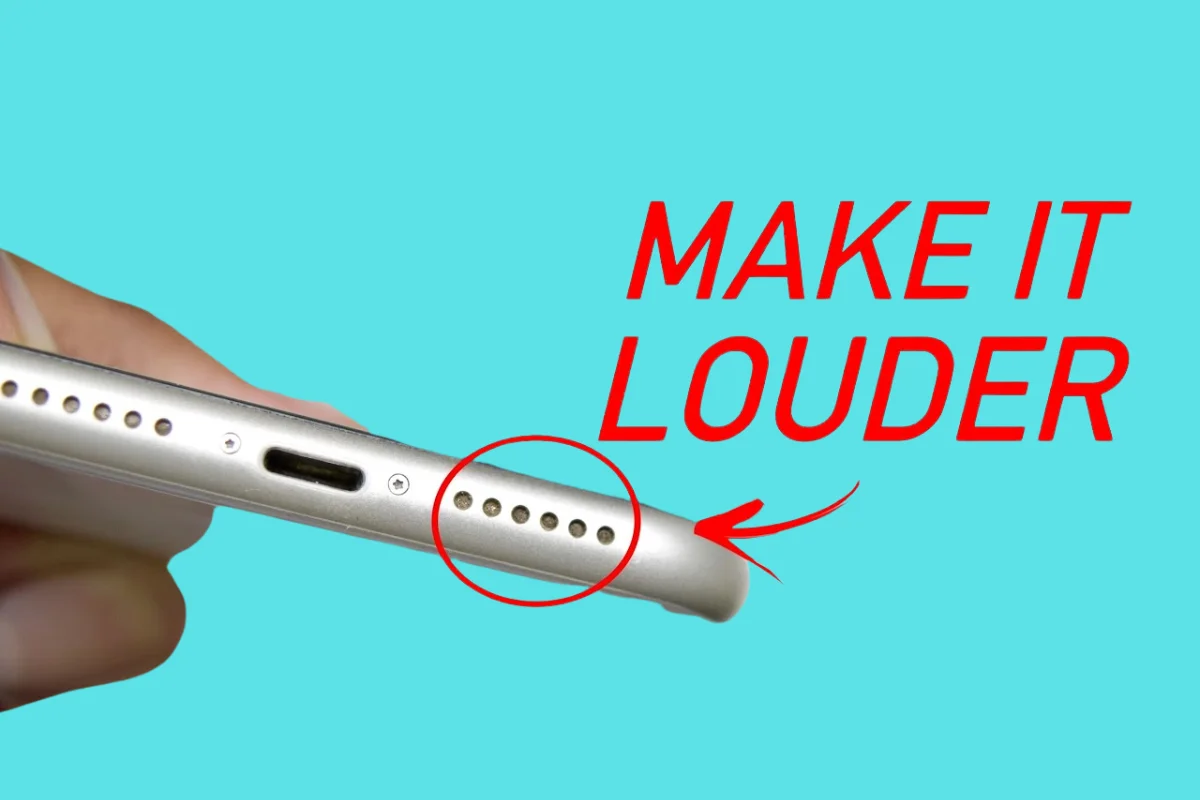
iPhone speakers can get dirty over time because the tiny speaker holes allow dust, dirt, and pocket lint to accumulate. Even small particles can block the speaker mesh and make your sound quieter or unclear.
You might notice muffled audio, low call volume, or poor music playback when the speaker gets dirty. Some people try using sharp objects, needles, or wet cloths to clean their speakers, but this can damage the device permanently.
In this guide, we will show you safe and easy ways to clean your iPhone speakers using simple tools you probably already have at home. These steps are beginner-friendly and completely safe for your phone.
Why iPhone Speakers Get Dirty
- Pocket lint: Tiny fibers from your pockets can get stuck in the speaker holes.
- Dust and dirt: Everyday dust can enter through the mesh over time.
- Oils and moisture: Sweat, natural skin oils, or light moisture can stick to the speaker and trap more dust.
- Impact on sound: All these factors can make the audio sound muffled, reduce volume, or create distortion.
Things You Should Never Do When Cleaning iPhone Speakers
- Avoid sharp objects: Do not use needles, pins, or toothpicks. They can tear the mesh or damage the speaker.
- Do not push anything inside: The goal is to clean the surface only, not dig inside the speaker holes.
- Avoid liquids: Water or cleaning solutions can enter the speaker and cause permanent damage.
- Do not use strong chemicals: Alcohol, glass cleaners, or sprays can harm the mesh or the device.
Safe Methods to Clean iPhone Speakers
Use a Soft Brush
- Use a small, soft, anti-static brush. A clean makeup brush or camera lens brush works perfectly.
- Gently brush the speaker grill in short back-and-forth motions. Avoid pressing too hard.
- This removes surface dust and loose particles safely without damaging the speaker.
- Regular brushing keeps your speakers clean and maintains sound quality.
If you are connecting your phone to a television for streaming, check our step by step guide on how to connect an iPhone to Smart TV to complete your setup smoothly.
Use Painter Tape or Sticky Tape
- Roll a small piece of painter’s tape or clear sticky tape with the sticky side out.
- Lightly press or tap the sticky side on the speaker surface. Do not push it inside the holes.
- The tape lifts dust and lint without damaging the mesh.
- This is useful for quick cleaning when visible dirt is on the speaker surface.
Use Compressed Air (With Caution)
- Hold the compressed air can 10 to 15 centimeters away from the speaker.
- Use short bursts rather than long sprays.
- Keep the air at a slight angle, not directly into the holes.
- This method removes loose dust, but high pressure can push dirt deeper or damage the speaker.
Use a Microfiber Cloth
- A soft microfiber cloth works well for surface cleaning.
- Gently wipe the speaker grill using a dry cloth.
- Avoid pressing hard to prevent pushing dust inside.
- This is best for regular light cleaning around the speaker area.
Use the Water Eject Sound Method
- This method uses sound vibrations to push out moisture or light dust from the speaker.
- You can use apps or websites that play a special water eject tone for iPhone speakers.
- The vibrations help release small particles or water trapped inside the mesh.
- It is especially useful if your phone has been exposed to moisture or if the sound becomes slightly muffled.
How to Clean Specific Parts of an iPhone
Cleaning the Earpiece (Top Speaker)
- The top speaker collects dust, pocket lint, and oils from your face during calls.
- Use a soft, clean brush to sweep across the earpiece gently in short strokes.
- Brush lightly from side to side and do not press into the mesh.
- This removes dirt without damaging the thin speaker grill.
Cleaning the Bottom Speakers
- Bottom speakers pick up dust quickly because of the pockets and surfaces.
- Use a soft brush or painter’s tape to lift dust without pushing it inside.
- You can also use short bursts of compressed air from a safe distance.
- Avoid sharp objects or poking inside the holes.
Cleaning After Water Exposure
- If the speaker sounds muffled after exposure to water or sweat, moisture may still be inside.
- Signs include low volume, a crackling sound, or blocked audio.
- Wipe your phone immediately with a dry cloth and do not charge it until it is dry.
- Use the water eject sound method to push out any remaining moisture.
- Let the phone air dry for a few hours in a cool, dry place.
How Often Should You Clean iPhone Speakers?
- Weekly quick clean: Lightly brush the speaker or wipe with a microfiber cloth to remove surface dust.
- Monthly deep clean: Use a brush, painter’s tape, or compressed air to remove dust that has built up.
- More frequent cleaning: If you go to the gym, work in dusty areas, or carry your phone in pockets without a case, clean more often to maintain clear sound.
If you are trying to access audio tools or streaming websites and they are not loading, you may need to adjust your browser settings. Learn how to unblock pop ups on iPhone for a smooth experience.
FAQs
Can I use a needle to clean iPhone speakers?
No. Using needles or sharp objects can damage the speaker mesh or push dirt further inside. Use soft brushes, painter’s tape, or compressed air instead.
Does Apple clean speakers for free?
Apple usually does not clean speakers for free unless it is a hardware defect covered under warranty or AppleCare. Normal dust cleaning is considered user maintenance.
Is compressed air safe for an iPhone?
Yes, if used carefully. Keep the can at a safe distance, use short bursts, and never spray directly into the speaker holes at high pressure.
Can water damage the speaker mesh?
Yes. Excessive moisture can damage the speaker or reduce sound quality. Always dry the phone quickly and use safe methods like the water eject sound to remove moisture.
Why does my speaker still sound low after cleaning?
If the sound is still low, there may be deeper debris, water damage, or a hardware problem. In such cases, visit an Apple store or authorized service center for inspection.