
AI tools are changing the way people browse the internet in Dubai and across the UAE. In 2026, many users rely on AI Chrome extensions for work productivity, online shopping, digital marketing, studying, travel booking, and business communication.
These browser extensions are becoming popular because they are easy to install, save time, automate repetitive tasks, and improve daily workflow.
From writing emails and summarizing webpages to translating content and managing research, AI tools help users work faster and smarter.
In this guide, we will explore some of the best free and paid AI Chrome extensions available in Dubai in 2026.
Why AI Chrome Extensions Are Growing Popular in Dubai
Rise of AI Adoption in the UAE
The UAE is rapidly adopting artificial intelligence through smart city projects, digital-first businesses, and technology-focused workplaces. As more companies and individuals use AI tools daily, Chrome extensions are becoming increasingly popular in Dubai.
Benefits of Using AI Browser Extensions
AI browser extensions help users with:
- Faster research
- Better writing assistance
- AI-powered summaries
- Translation support
- Improved productivity
These tools can simplify daily online tasks and save valuable time.
Who Can Benefit From AI Chrome Extensions?
AI Chrome extensions are useful for:
- Students
- Freelancers
- Office workers
- Business owners
- E-commerce sellers
- Travelers in Dubai
Whether for studying, work, shopping, or travel planning, AI browser tools can improve efficiency and convenience.
Things to Consider Before Choosing an AI Chrome Extension
Pricing and Free Plans
Before installing an AI Chrome extension, check whether it offers a free plan or requires a paid subscription. Many extensions provide basic features for free, while advanced tools like unlimited AI usage, premium writing assistance, and automation features are available in paid versions.
Privacy and Data Security
Privacy is one of the most important factors when choosing an AI browser extension. Some AI extensions may collect browsing activity, personal information, or website data. Users should carefully review permissions, privacy policies, and developer credibility before installing any tool. Recent studies have also highlighted growing concerns about fake AI extensions and data collection risks.
Compatibility With Google Chrome
Not every extension works smoothly on all browser versions. Users should make sure the AI extension is compatible with the latest version of Google Chrome and regularly updated for better performance and security.
Ease of Use
A good AI Chrome extension should have a simple and user-friendly interface. Extensions that are easy to navigate can help users save time and improve productivity without requiring technical knowledge.
Features and AI Accuracy
Different AI extensions offer different features such as writing assistance, webpage summaries, translations, research support, and automation tools. Choosing an extension with accurate AI responses and useful features is important for a better experience.
Support for Arabic and English
Since Dubai and the UAE are multilingual environments, support for both Arabic and English can be very useful. Many modern AI Chrome extensions now provide translation and bilingual writing support for users in the region.
Best AI Chrome Extensions for Dubai in 2026
ChatGPT for Chrome
Key Features
- AI-powered conversations
- Writing and brainstorming help
- Quick webpage summaries
- Research assistance
Best For
Students and professionals
Pros
- Easy to use
- Fast and accurate responses
- Helpful for daily browsing tasks
Cons
- Some advanced features require a subscription
- Certain extensions may have limited free usage
Grammarly AI
Key Features
- Grammar and spelling correction
- AI rewriting suggestions
- Tone and clarity improvements
- Email writing assistance
Best For
Business communication and professional writing
Pros
- Excellent English writing support
- Works across most websites
- Useful for emails and documents
Cons
- Premium features are locked behind paid plans
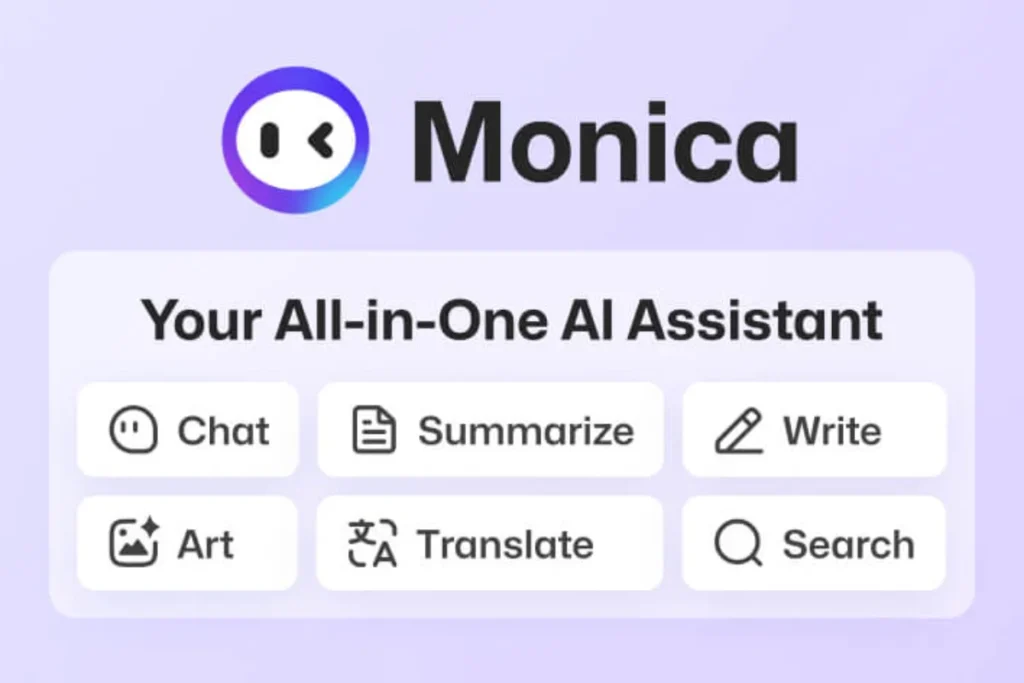
Monica AI
Key Features
- AI assistant sidebar
- Webpage and PDF summarization
- Writing and translation tools
- Access to multiple AI models
Best For
Daily productivity and multitasking
Pros
- Convenient sidebar interface
- Supports several AI models
- Useful for research and browsing
Cons
- Heavy usage may require a paid plan
- Some features have daily limits
Merlin AI
Key Features
- AI-powered search assistance
- YouTube video summaries
- Quick content generation
- AI writing and research tools
Best For
Content creators and researchers
Pros
- Saves time during research
- Helpful for multitasking
- Easy access from the browser
Cons
- Limited free credits
- Advanced features may require subscription plans
Compose AI
Key Features
- AI autocomplete
- Email drafting assistance
- Faster typing and sentence suggestions
Best For
Office workers and remote teams
Pros
- Increases writing speed
- Helps reduce repetitive typing
- Useful for emails and daily communication
Cons
- Can occasionally generate generic text
- Advanced features may require a paid plan
Sider AI
Key Features
- AI sidebar assistant
- Translation support
- PDF and webpage summaries
- AI writing and research tools
Best For
Researchers and students
Pros
- Supports multiple languages
- Helpful for studying and research
- Easy access while browsing
Cons
- Some advanced tools are paid
- Free plans may have usage limits
Otter.ai Chrome Extension
Key Features
- Meeting transcription
- Voice-to-text notes
- AI-generated summaries
- Real-time note taking
Best For
Business meetings and online classes
Pros
- Accurate transcriptions
- Helpful for recording meetings
- Saves time during note taking
Cons
- Limited free minutes
- Some premium features require subscription
Perplexity AI Extension
Key Features
- AI-powered search answers
- Fast research assistance
- Source citations
- Quick webpage summaries
Best For
Quick information lookup and research
Pros
- Clean and simple interface
- Reliable summaries
- Fast response speed
Cons
- Requires internet connection
- Some advanced features may be limited in free plans
Best AI Chrome Extensions for Different Use Cases
Best for Students in Dubai
Grammarly AI
Grammarly AI is useful for assignments, essays, and emails. It helps students improve grammar, spelling, and sentence clarity while writing online.
ChatGPT for Chrome
ChatGPT Chrome extensions can help students with research, quick explanations, note summaries, and brainstorming ideas directly inside the browser.
Sider AI
Sider AI is popular among students for webpage summaries, PDF analysis, translation support, and AI-powered study assistance.
Best for Business Professionals
Otter.ai
Otter.ai is ideal for online meetings, interviews, and virtual classes. It provides accurate meeting transcription, AI summaries, and voice-to-text notes.
Compose AI
Compose AI helps professionals write emails faster with AI autocomplete and smart sentence suggestions. It is especially useful for remote teams and office communication.
Monica AI
Monica AI offers an all-in-one AI sidebar for writing, summarizing, translation, and multitasking across websites. It is widely used for productivity and workflow management.
Best for Content Creators
Merlin AI
Merlin AI is a powerful all-in-one assistant for content creators. It helps with writing blog posts, summarizing webpages and YouTube videos, translating content, and generating ideas quickly. It also supports multiple AI models, making it useful for research and content production.
Perplexity AI
Perplexity AI is mainly used for fast research and fact-based answers. It provides AI-powered search results with source citations, making it very useful for creating accurate and well-researched content.
ChatGPT for Chrome
ChatGPT Chrome extensions help creators with writing, brainstorming ideas, summarizing content, and generating scripts or blog outlines directly inside the browser.
Best for Online Shopping
AI Shopping Assistants
AI shopping assistants help users find products faster by analyzing preferences, comparing options, and suggesting better deals based on browsing behavior.
Price Comparison Tools
These tools automatically compare prices across different websites, helping users find the best deals in seconds and save money while shopping online.
Coupon Finder AI Extensions
Coupon finder extensions automatically detect discount codes at checkout and apply the best available coupons to reduce final purchase prices.
Best for Arabic Translation and Communication
AI Translators
AI translator extensions help users instantly convert text, webpages, and emails between Arabic and English with high accuracy, making communication easier in Dubai’s multilingual environment.
Multilingual Assistants
Multilingual AI assistants support multiple languages, allowing users to chat, write, and browse content smoothly in Arabic, English, and other languages without switching tools.
Are AI Chrome Extensions Safe to Use?
AI Chrome extensions can be safe to use, but it depends on the developer, permissions, and how you manage your data. Since many AI tools access your browsing activity, it’s important to choose them carefully and stay aware of privacy risks.
Understanding Permissions
Before installing any AI Chrome extension, always check the permissions it requests. Some extensions may ask for access to your browsing history, emails, or website data. Only install tools that require reasonable permissions for their features, and avoid anything that seems unnecessary or too broad.
Avoiding Fake AI Extensions
The popularity of AI tools has also led to fake or low-quality extensions. Some may claim to offer advanced AI features but instead collect user data or show unwanted ads. Always verify the developer, check reviews, and avoid extensions with low ratings or unclear sources.
Using Trusted Chrome Web Store Apps
The safest option is to download AI extensions directly from the official Chrome Web Store. Trusted apps usually have verified developers, regular updates, and transparent privacy policies. This reduces the risk of malware or data misuse.
Tips for Protecting Personal Data
To stay safe while using AI Chrome extensions:
- Use only necessary extensions
- Avoid sharing sensitive personal information
- Regularly review installed extensions
- Remove unused or suspicious tools
- Keep your browser updated for security patches
By following these steps, you can safely enjoy the benefits of AI Chrome extensions while protecting your privacy and data.
Free vs Paid AI Chrome Extensions
| Feature | Free Extensions | Paid Extensions |
| Basic AI tools | Yes | Yes |
| Advanced features | Limited | Full access |
| Usage limits | Often restricted | Higher or unlimited limits |
| Customer support | Basic or community-based | Priority support |
Free AI Chrome extensions are great for basic tasks like writing, summarizing, and quick browsing help. They usually give access to core features, but with limitations such as daily usage caps, slower performance, or fewer advanced tools.
Paid extensions, on the other hand, are designed for heavy users and professionals. They offer better performance, advanced AI models, higher accuracy, and priority customer support. They also remove most restrictions, making them more reliable for daily work or business use.
In short, free tools are ideal for beginners and casual users, while paid tools are better for professionals who need consistent performance and advanced features.
How to Install AI Chrome Extensions
Installing AI Chrome extensions is quick and simple. You don’t need technical skills—just follow a few easy steps.
Step-by-Step Guide
Open Chrome Web Store
Go to the official Chrome Web Store in your Google Chrome browser.
Search for the Extension
Type the name of the AI extension you want (for example, ChatGPT, Grammarly, or Merlin AI).
Click “Add to Chrome”
Once you find the extension, click the “Add to Chrome” button.
Grant Permissions
Review the permissions requested and click “Add Extension” to confirm installation.
Start Using the AI Tool
After installation, the extension will appear in your browser. You can pin it and start using its AI features immediately.
Future of AI Browser Extensions in Dubai
AI in Smart Workplaces
In Dubai and across the UAE, AI is becoming deeply integrated into workplace systems. Businesses are moving from basic tools to advanced AI-powered workflows that support decision-making, automate tasks, and improve efficiency. Many companies already use AI tools in daily operations, showing a clear shift toward smarter, AI-driven workplaces.
Growth of AI Productivity Tools
AI browser extensions will continue to grow as more businesses and individuals focus on productivity and automation. In Dubai, companies are increasingly adopting AI tools to save time, streamline workflows, and improve performance across different industries.
AI for Arabic Language Support
One of the most important developments in the region is the improvement of Arabic-focused AI tools. The UAE is investing in advanced Arabic language models to make AI more accurate and useful for Arabic-speaking users, improving communication and digital experiences.
AI-Powered Shopping and E-Commerce
AI is also transforming online shopping in Dubai. Future AI tools will offer smarter product recommendations, predictive shopping, and automated purchasing experiences, making online shopping faster and more personalized than ever.
FAQs
Which is the best AI Chrome extension in 2026?
The best AI Chrome extension depends on your needs. For general use, tools like ChatGPT for Chrome, Grammarly AI, and Merlin AI are among the most popular in 2026 due to their versatility in writing, research, and productivity.
Are AI Chrome extensions free?
Many AI Chrome extensions offer free versions with basic features. However, advanced tools like unlimited usage, premium AI models, and extra features are usually available in paid plans.
Can AI Chrome extensions work in Dubai and the UAE?
Yes, AI Chrome extensions work normally in Dubai and across the UAE as long as you have internet access and use the Google Chrome browser.
Which AI extension is best for students?
For students, Grammarly AI, ChatGPT for Chrome, and Sider AI are great choices. They help with writing, research, summarizing notes, and studying more efficiently.
Are AI browser extensions safe to use?
Yes, they can be safe if you install them from trusted sources like the Chrome Web Store and carefully review permissions. Avoid unknown or low-rated extensions to protect your data.
Do AI Chrome extensions support Arabic language?
Many modern AI extensions support multilingual features, including Arabic and English translation, writing assistance, and communication tools, making them useful in Dubai’s multilingual environment.
Which AI extension is best for content writing?
ChatGPT for Chrome, Grammarly AI, and Merlin AI are commonly used for content writing, blog creation, idea generation, and improving text quality.
Can AI Chrome extensions improve productivity?
Yes, AI Chrome extensions significantly improve productivity by automating tasks, summarizing content, speeding up writing, assisting with research, and reducing time spent on repetitive work.